Ultimate Guide to Loop YouTube Videos — Every Method That Actually Works
Whether you're studying, sleeping, or just obsessed with one song — here's everything you need to know about the YouTube video loop in 2026.
📋 Table of Contents
- What Is YouTube Video Loop?
- Why People Loop YouTube Videos
- How to Loop on Desktop
- How to Loop on Mobile
- How to Loop a Playlist
- A-B Loop — Repeat a Specific Clip
- Best Chrome Extensions
- Third-Party Loop Websites
- The URL Loop Trick
- Smart TV & Gaming Consoles
- Does Looping Count as Views?
- Troubleshooting Common Issues
- Frequently Asked Questions
Here's a situation most of us know too well. You find the perfect lo-fi beat, a language lesson you need to hear five more times, or a motivational clip that hits differently at 6 AM — and then the video just... ends. You reach for the mouse. You click replay. Again and again.
That's exactly what the YouTube video loop feature was built for. And honestly, it's one of YouTube's most useful — yet most overlooked — features. Most people don't even know it exists natively inside the platform, let alone that there are a dozen other ways to repeat YouTube videos without touching a single button.
This guide covers everything. Desktop, mobile, smart TVs, gaming consoles, Chrome extensions, third-party sites, URL hacks — you name it. By the end, you'll know the fastest way to loop any YouTube video on any device you own.
What Exactly Is a YouTube Video Loop?
A YouTube video loop (also called repeat YouTube video or YouTube auto loop) is a playback setting that automatically restarts a video the instant it finishes. No buffering pause. No ad. No "up next" recommendation hijacking your screen. Just seamless, continuous playback on repeat — indefinitely.
Think of it as pressing the old CD player's repeat button. You lock in one track and let it run. YouTube introduced the native loop feature quietly years ago, and it's become especially popular among students, remote workers, gym-goers, and anyone who needs consistent audio or visual content playing in the background without babysitting it.
According to internal YouTube usage data cited in industry reports, music and ambient audio videos are among the most frequently looped content types — with some lo-fi study channels reporting that their average viewer watches over 4 hours per session using the loop feature.
Loop vs. Replay — Is There a Difference?
Technically, yes. Replay means manually clicking the video again each time it ends. Loop means the video restarts automatically without any action from you. Both produce the same visual result — the video plays again — but looping is entirely hands-free. That distinction matters a lot when you're mid-workout, asleep, or deeply focused on a study session.
Why Do People Loop YouTube Videos?
The reasons are more varied than you'd expect. Here's a snapshot of the most common real-world use cases.
- 🎵 Music & Lo-Fi Beats — Looping a single track or ambient soundscape for work or study sessions without playlist interruptions
- 📚 Language Learning — Repeating a pronunciation or dialogue clip until it sticks
- 🏋️ Workout Videos — Keeping a short exercise demonstration running on loop during sets
- 😴 Sleep Sounds — Rain, ocean waves, white noise — looping these through the night
- 🎸 Musicians Learning by Ear — Isolating a riff or melody section and repeating it for transcription
- 🖥️ Digital Signage & Displays — Businesses loop brand videos or announcements on kiosk screens
- 🧘 Meditation & Mindfulness — Looping guided meditation or nature scenes for extended sessions
- 🎓 Classroom Presentations — Teachers loop instructional clips for students working at their own pace
How to Loop a YouTube Video on Desktop (PC & Mac)
Good news: YouTube has a built-in loop feature on desktop. Bad news: it's hidden in a right-click menu that most people never discover. Here's exactly how to use it.
Using YouTube's Native Loop Feature (Easiest Method)
YouTube's native loop feature doesn't show a persistent on-screen indicator. If you navigate away or refresh the page, the loop setting resets. You'll need to re-enable it each session.
Browser-by-Browser Compatibility for YouTube Loop
| Browser | Native Loop (Right-Click) | Extension Support | Notes |
|---|---|---|---|
| Google Chrome | ✅ Yes | ✅ Full | Best overall experience |
| Mozilla Firefox | ✅ Yes | ⚠️ Limited | Context menu may show browser options first |
| Safari (Mac) | ⚠️ Partial | ❌ Limited | May need to right-click twice to reach YouTube menu |
| Microsoft Edge | ✅ Yes | ✅ Full | Supports Chrome extensions natively |
| Opera / Opera GX | ✅ Yes | ✅ Full | Chrome Web Store extensions work here too |
| Brave | ✅ Yes | ✅ Full | Chrome extension compatibility |
Chrome is hands-down the most reliable browser for how to loop YouTube video content. Edge and Brave come in close behind since both support Chrome Web Store extensions. Safari users on Mac get the native loop option but miss out on the extension ecosystem — something to keep in mind if you need advanced features like A-B looping.
How to Loop a YouTube Video on Mobile (iPhone & Android)
Looping on mobile is just as straightforward — you just need to know where to look. The loop button isn't in an obvious spot, which is why so many people miss it entirely.
How to Loop YouTube Videos on iPhone (iOS)
How to Loop YouTube Videos on Android
The process is almost identical on Android. Open the YouTube app, play your video, tap the three-dot menu in the top right corner of the player, and select "Loop video." Android users on older versions of the YouTube app (pre-2023 versions) may see slightly different menu labels, but the option is always there — sometimes labeled "Repeat."
If you want to repeat a YouTube video while your phone screen is off, you'll need YouTube Premium for background play. Without Premium, the video pauses the moment you lock your screen — loop enabled or not.
YouTube Free vs. YouTube Premium — What Changes for Looping?
| Feature | YouTube Free | YouTube Premium |
|---|---|---|
| Loop video on desktop | ✅ Yes | ✅ Yes |
| Loop video on mobile app | ✅ Yes | ✅ Yes |
| Background play (screen off) | ❌ No | ✅ Yes |
| Offline loop (downloaded videos) | ❌ No | ✅ Yes |
| Ad-free looping | ❌ No | ✅ Yes |
| Picture-in-picture loop | ⚠️ Limited | ✅ Full |
How to Loop a YouTube Playlist
Looping a single video is one thing. But what about an entire playlist? Maybe you've got a study playlist, a workout queue, or a curated music collection you want cycling through on repeat. YouTube handles this differently from single-video looping — and it trips people up regularly.
Looping a Full Playlist on Desktop
When a playlist is open and playing, look at the playlist panel on the right side of your screen. You'll see two small icons in the top-right corner of that panel: a shuffle icon and a loop icon. Click the loop icon once. It'll loop through the entire playlist continuously. Click it again and it shifts to single-video loop mode (just the current video). Click a third time to turn looping off entirely.
That three-state toggle — off → playlist loop → single video loop — is where most people get confused. Watch for that change in the icon's appearance to know which mode you're in.
Looping a Playlist on Mobile
Tap the playlist name at the bottom of the screen while a video is playing. The playlist panel slides up. Look for the loop icon (two arrows forming a circle) in the player controls above the playlist. Same three-state toggle applies here as well.
How to Loop a Specific Part of a YouTube Video (A-B Loop)
Standard looping repeats the whole video. But sometimes you need just a section — a guitar solo, a ten-second dialogue, a language phrase. That's where A-B looping comes in. YouTube doesn't natively support this. You need an external tool.
Best Tools for A-B Looping on YouTube
Looper for YouTube (Chrome)
The most popular A-B loop extension. Set start and end timestamps with a click. Plays that exact clip on repeat, indefinitely.
FREEListenOnRepeat.com
Paste any YouTube URL and loop it — with full A-B loop support. No install needed. Ideal for quick one-off use.
FREELooptube.io
Clean, distraction-free interface. Set loop points with sliders. Great for musicians and language learners.
FREEEnhancer for YouTube
An all-in-one extension with loop controls, speed adjustment, equalizer, and much more bundled together.
FREE / PROHow a Guitar Teacher Uses A-B Loop to Teach Online
Marcus, a guitar instructor based in Austin, Texas, teaches students over Zoom. He uses Looptube.io to loop specific YouTube performances during lessons — isolating a 4-bar section of a Hendrix riff and repeating it while students follow along.
- Reduced time spent manually rewinding from ~15 minutes per lesson to under 2
- Students reported faster technique retention with looped visual demonstrations
- Now uses the youtube loop maker tool approach for every technique lesson he records himself
"The loop tool changed how I teach online. Students can finally see exactly what they need to copy — on repeat — without me scrubbing the timeline constantly."
Best Chrome Extensions to Loop YouTube Videos (2026)
If you loop YouTube videos regularly, an extension transforms the experience. You get persistent loops across sessions, A-B control, speed options, and sometimes even equalizer tools — all without leaving YouTube's interface.
| Extension | Price | A-B Loop | Playlist Loop | Speed Control | Rating |
|---|---|---|---|---|---|
| Looper for YouTube | Free | ✅ | ✅ | ❌ | ⭐ 4.6/5 |
| Enhancer for YouTube | Free / Pro | ✅ | ✅ | ✅ | ⭐ 4.7/5 |
| YouTube Looper | Free | ⚠️ Basic | ✅ | ❌ | ⭐ 4.2/5 |
| Magic Actions for YouTube | Free / Pro | ✅ | ✅ | ✅ | ⭐ 4.5/5 |
| ImprovedTube | Free | ⚠️ Basic | ✅ | ✅ | ⭐ 4.4/5 |
Our top pick is Enhancer for YouTube. It does everything — loop control, A-B point setting, playback speed, cinema mode, and volume normalization — without bloating your browser. Install it once and forget about it. It quietly handles your YouTube auto loop needs in the background while adding a dozen other quality-of-life improvements.
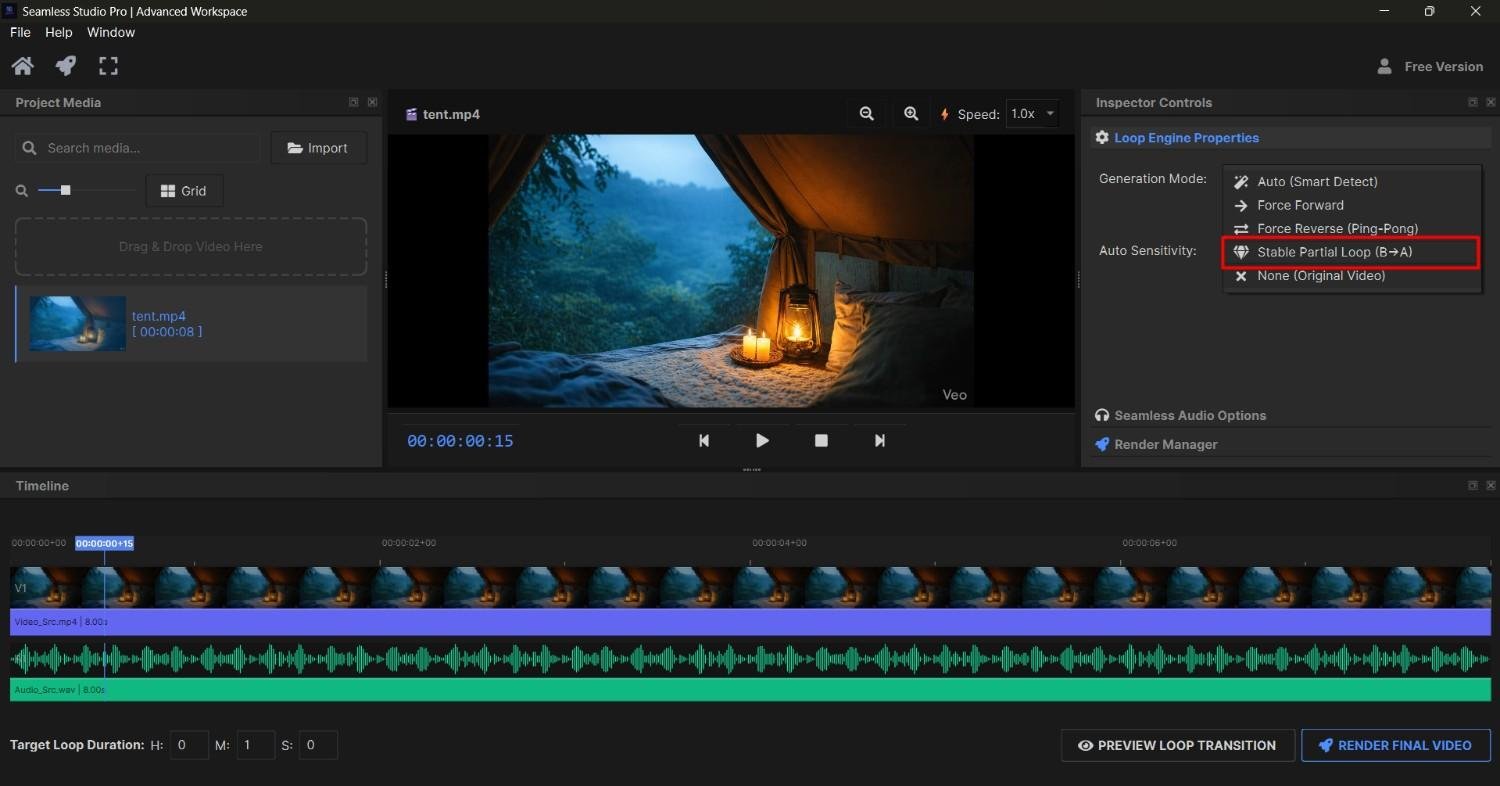
Try our YouTube Loop Maker Tool — the easiest way to create, share, and manage looping YouTube videos. No extensions needed.
Third-Party Websites to Loop YouTube Videos (No Extension Needed)
Don't want to install an extension? These web-based tools let you paste a YouTube URL and get a looping player instantly. No account required, no download needed.
ListenOnRepeat.com
ListenOnRepeat.com is the granddaddy of YouTube loop sites. Paste your video link, and it starts looping immediately. It also supports A-B looping, a comments section for community discussion, and a "discover" feed for trending looped videos. Best for music lovers who want a social element to their looping experience.
Looptube.io
Looptube.io strips everything down to the essentials — clean interface, embedded YouTube player, and a simple slider to define your A and B loop points. No clutter. No social features. Just a focused, distraction-free loop environment. Perfect for musicians and language students.
YoutubeRepeat.com
The name says it all. YoutubeRepeat.com takes a URL, replaces "youtube.com" with "youtuberepeat.com" in the address bar (yes, it's that simple), and delivers a looping player. It even includes playback speed controls — useful if you're transcribing audio or following along with a fast speaker.
These sites embed YouTube's player but operate on their own servers. They may collect basic analytics data (page visits, click events). None of them require login, but review their privacy policies before entering any personal information. Stick to reputable, well-known sites from the list above.
The YouTube Loop URL Trick (Does It Still Work in 2026?)
For years, there was a URL-based workaround to loop YouTube videos — and yes, it still works in 2026. Here's how it works.
Method 1: The Playlist URL Trick
Take any YouTube video URL. Find the video ID — it's the string of characters after ?v=. Then construct this URL:
https://www.youtube.com/watch?v=VIDEO_ID&loop=1&playlist=VIDEO_ID
Example: If your video URL is
youtube.com/watch?v=dQw4w9WgXcQ, your loop URL becomes:https://www.youtube.com/watch?v=dQw4w9WgXcQ&loop=1&playlist=dQw4w9WgXcQ
The trick adds the video to a single-item playlist — and because playlists can loop, the &loop=1 parameter kicks in cleanly. Paste it in your browser, hit Enter, and the video loops automatically without any clicks.
Method 2: Add the Video to Its Own Playlist
This one uses YouTube's own system against itself. Save a video to a new playlist that contains only that one video. Then use the playlist loop feature as described in the playlist section above. Because the playlist has no second video to move to, it simply repeats the first (and only) one indefinitely. Clunky? A little. Effective? Absolutely.
How to Loop YouTube Videos on Smart TVs & Gaming Consoles
The TV is where looping gets trickiest. Most smart TV YouTube apps have simplified interfaces that hide the loop feature — or don't support it natively at all. Here's the current state of play in 2026.
| Platform | Native Loop Support | Workaround Available? | Best Method |
|---|---|---|---|
| Samsung Smart TV | ⚠️ Partial | ✅ Yes | Add to single-video playlist, loop the playlist |
| LG Smart TV (webOS) | ⚠️ Partial | ✅ Yes | Playlist loop method |
| Android TV / Google TV | ✅ Yes | — | Three-dot menu → Loop video |
| Apple TV | ❌ Limited | ✅ Yes | AirPlay from iPhone (with loop enabled on phone) |
| Roku | ❌ No | ✅ Yes | Cast from mobile with loop enabled |
| PlayStation 5 | ❌ No | ✅ Yes | Playlist loop method |
| Xbox Series X/S | ❌ No | ✅ Yes | Playlist loop method |
| Nintendo Switch | ❌ No | ❌ Limited | Use phone/tablet instead |
Android TV and Google TV users have it best in the living room — the loop option sits right in the three-dot menu, just like the mobile app. Everyone else is working around limitations using the playlist trick or casting from a looped mobile session.
Does Looping a YouTube Video Count as Views?
This question comes up constantly — especially from creators wondering if they can boost their numbers, and from brands asking whether engagement metrics are trustworthy. The short answer: it's complicated.
YouTube counts a view when a user intentionally initiates a video watch — typically within the first 30 seconds of playback. Looped replays do not reliably count as additional views. YouTube's algorithm detects repetitive playback patterns from the same IP address or session and filters them out of official view counts after the initial play.
YouTube's Help Center states that views are validated against a set of quality signals to filter out artificial or low-quality playback. Repeated plays from a single user in a short window are among the patterns YouTube's systems flag and discount from public view counts.
However — and this matters for creators — watch time still accumulates. Every minute someone spends looping your video counts toward your channel's overall watch time, which influences how YouTube's algorithm recommends your content. So looping isn't meaningless for creators. It just won't inflate your view counter the way some might hope.
Troubleshooting: When YouTube Loop Isn't Working
The loop feature is simple — but when it breaks, it's frustrating. Here are the most common issues and exactly how to fix them.
| Problem | Likely Cause | Fix |
|---|---|---|
| Loop option not in right-click menu | Browser intercepting right-click | Right-click twice — first dismisses browser menu, second shows YouTube menu |
| Video stops looping after a few plays | Autoplay queue overriding loop | Disable Autoplay toggle (top of the "Up Next" panel) before enabling loop |
| Loop not working on mobile app | Outdated YouTube app | Update the YouTube app from your device's app store |
| Extension conflict breaking loop | Ad blocker or another extension | Disable other YouTube-related extensions, test one at a time |
| Loop resets on page refresh | Native behavior — loop doesn't persist | Use a Chrome extension for persistent loops, or the URL trick |
| YouTube TV not showing loop option | YouTube TV has separate app features | YouTube TV doesn't support loop — use regular YouTube instead |
The Autoplay vs. Loop Conflict — The #1 Hidden Issue
Here's the most common culprit that nobody talks about. YouTube's Autoplay feature and the Loop feature sometimes conflict. If Autoplay is enabled, YouTube may push the next recommended video before the loop can trigger — especially if you're not logged in. The fix is dead simple: scroll to the top of the "Up Next" sidebar and toggle Autoplay off. Then enable Loop. Problem solved.
🔁 Want to Loop Your Videos Automatically?
Stop manually restarting videos every single time. Our YouTube Loop Maker Tool handles it all for you — set it, forget it, and let your video run on repeat forever.
⬇️ Click Here to Download Our ToolFree to use · Works on all devices · No account required
Looping YouTube Videos for Music — Special Tips for Audio Lovers
Music is the biggest reason people search for how to loop YouTube video content. Whether you're locked into a lo-fi study playlist, learning a song by ear, or just found the perfect sleep soundtrack — these tips make the experience significantly better.
Best Channels to Loop on YouTube (By Category)
- 🎵 Lo-Fi Study Music — Lo-Fi Girl, ChilledCow, Lofi Fruits Music
- 🌧️ Ambient & Nature Sounds — RelaxingRecords, Calm Whale, Greenred Productions
- 😴 Sleep Sounds — Sleep Easy Relax, Johnnie's Relaxation, White Noise Baby Sleep
- 🎸 Instrument Backing Tracks — karaoke versions, JamTrackCentral, ChordU
- 🧘 Meditation & Binaural Beats — PowerThoughts Meditation Club, Meditative Mind
Creating a Looping Ambient Playlist (The Right Way)
Instead of looping a single 3-hour ambient video, try this: curate a playlist of 8–12 shorter ambient tracks (20–30 minutes each). Enable playlist loop. This approach reduces the jarring effect of a single repetitive loop point, keeps the audio feeling fresh across a long session, and gives your algorithm more variety to recommend genuinely similar content to you over time.
How Content Creators Can Use YouTube Auto Loop Strategically
Loop isn't just a viewer feature. Smart creators use it as part of their production and distribution workflow. Here's how.
- Quality control loops — Loop your own upload on a second screen while editing audio or reviewing pacing. Catching repetitive errors is 10x easier when you're watching the same clip continuously.
- Live stream loops — Looping a "starting soon" or "be right back" screen during live streams. YouTube supports this natively in the stream manager.
- Intro/outro testing — Loop your intro sequence repeatedly to check for jarring cuts, audio sync issues, or transitions that don't hold up under repetition.
- Using the youtube loop maker tool — Creators use dedicated loop tools to set up timed repeat sequences for product demos, course previews, and marketing clips embedded on websites.
Frequently Asked Questions About Looping YouTube Videos
Quick Reference — All YouTube Loop Methods at a Glance
Use this master table to find the right method for your device and situation in seconds.
| Method | Device | Difficulty | Free? | A-B Loop? | Persists? |
|---|---|---|---|---|---|
| Right-click → Loop | Desktop | ⭐ Easy | ✅ | ❌ | ❌ |
| YouTube App (3-dot menu) | iOS / Android | ⭐ Easy | ✅ | ❌ | ❌ |
| Playlist Loop (all devices) | All | ⭐⭐ Medium | ✅ | ❌ | ⚠️ While playlist open |
| Looper for YouTube Extension | Desktop (Chrome) | ⭐ Easy | ✅ | ✅ | ✅ |
| Enhancer for YouTube Extension | Desktop (Chrome/Edge) | ⭐ Easy | ✅ | ✅ | ✅ |
| URL + &loop=1&playlist= trick | Desktop / Browser | ⭐⭐ Medium | ✅ | ❌ | ❌ |
| ListenOnRepeat.com | Desktop / Browser | ⭐ Easy | ✅ | ✅ | ❌ |
| Looptube.io | Desktop / Browser | ⭐ Easy | ✅ | ✅ | ❌ |
| YoutubeRepeat.com (URL swap) | Desktop / Browser | ⭐ Easy | ✅ | ⚠️ Basic | ❌ |
| Cast from looped mobile → TV | Smart TV | ⭐⭐ Medium | ✅ | ❌ | ⚠️ During cast session |
| YouTube Loop Maker Tool | All | ⭐ Easy | ✅ | ✅ | ✅ |
Final Thoughts — The Best Way to Loop YouTube Videos in 2026
After going through every option out there, here's the real talk: the right method depends entirely on how you use YouTube.
If you're a casual user who occasionally wants to replay a song or ambient video — the native right-click loop on desktop and the three-dot menu on mobile are all you need. Fast, free, and zero setup.
If you loop videos regularly across multiple sessions, or need A-B looping for music or language learning — install Enhancer for YouTube or Looper for YouTube. Once it's in your browser, you'll wonder how you ever lived without it.
And if you're building something more structured — looping videos for a presentation, a kiosk display, a course, or a content workflow — our youtube loop maker tool gives you the controls and flexibility that native YouTube and basic extensions simply can't match.
The bottom line: looping YouTube videos in 2026 has never been easier. Pick the method that fits your device, bookmark this guide for future reference, and never manually click replay again.
Ready to Loop Your YouTube Videos on Autopilot?
Stop clicking replay every time your video ends. Download our YouTube Loop Maker Tool and set up seamless, automatic looping in under 60 seconds.
⬇️ Click Here & Download Our SoftwareWorks on Windows & Mac · Free to start · Loved by 10,000+ users